Safety
Reliable Attendance Tracking
Teachers mark check-in and check-out in the mobile app; parents see those times (and who picked up) on the dashboard—same flows as Teacher attendance and Parent attendance cards in MyKidTrack.
Mobile app for kindergartens
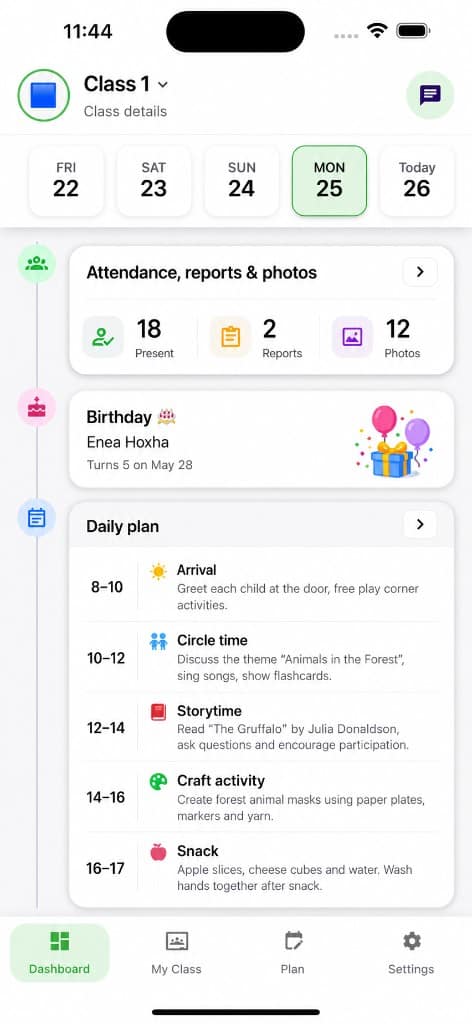
MyKidTrack is built around the mobile app. Teachers publish attendance, reports, photos, and messages from their phone; parents follow updates there; kindergarten admins can manage daily work from mobile too.
iOS
App Store
Android
Google Play
Admin web
Setup only
Use the app for daily work
Teachers and parents should download the mobile app and sign in with the account their kindergarten provides. The website is mainly for Kindergarten Admin setup and management.
Real mobile app previews
Live UI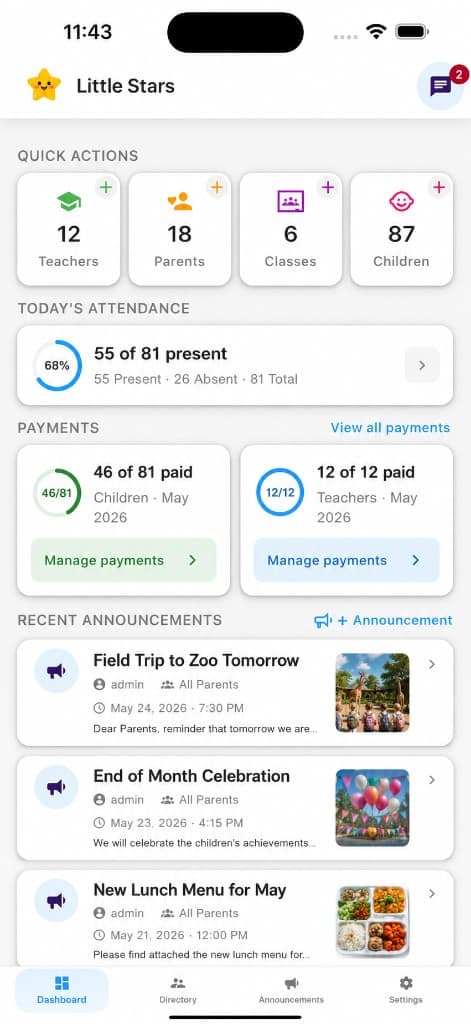
Get started
Install the mobile app from the App Store or Google Play. Phone users can use the smart download button above.
Use the account your kindergarten provides. Admins, teachers, and parents each see the mobile tools for their role.
Kindergarten Admins can use the website for setup and management, but day-to-day work should stay mobile-first.
In the app
Safety
Teachers mark check-in and check-out in the mobile app; parents see those times (and who picked up) on the dashboard—same flows as Teacher attendance and Parent attendance cards in MyKidTrack.
Teachers
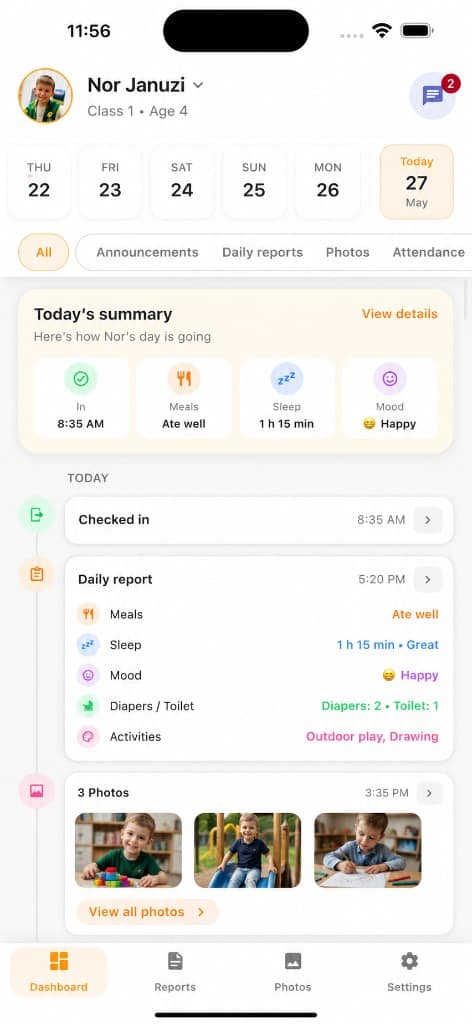
Teachers capture meals, sleep, mood, activities, and notes in the mobile editor; parents read the same structured fields in the Daily Reports tab and dashboard timeline—matching MyKidTrack mobile.
Families
Staff publish classroom photos in the app; families browse the dedicated Photos tab and see media alongside the dashboard—same experience as MyKidTrack mobile (including teacher child-photo flows).
Parents
Post announcements to classes or parents and keep 1:1 conversations in the app—same as MyKidTrack mobile (Announcements, Messages list, and Chat), instead of scattered SMS threads.
Built for every role
Kindergarten profile & billing · Staff, classes & children · Announcements & payments
Track attendance, maintain plans, and publish daily reports quickly.
Follow your child updates, photos, and kindergarten communication with clarity.
Teachers and parents use the mobile app as part of your kindergarten workspace. Admin web access is there for setup and management, not as the recommended daily app.
Setting up MyKidTrack for a new kindergarten? Create an admin trial
Questions, demo, or support
Ask about setup, pricing, app rollout, parent onboarding, support, or a product walkthrough. We will help you choose the right next step.